
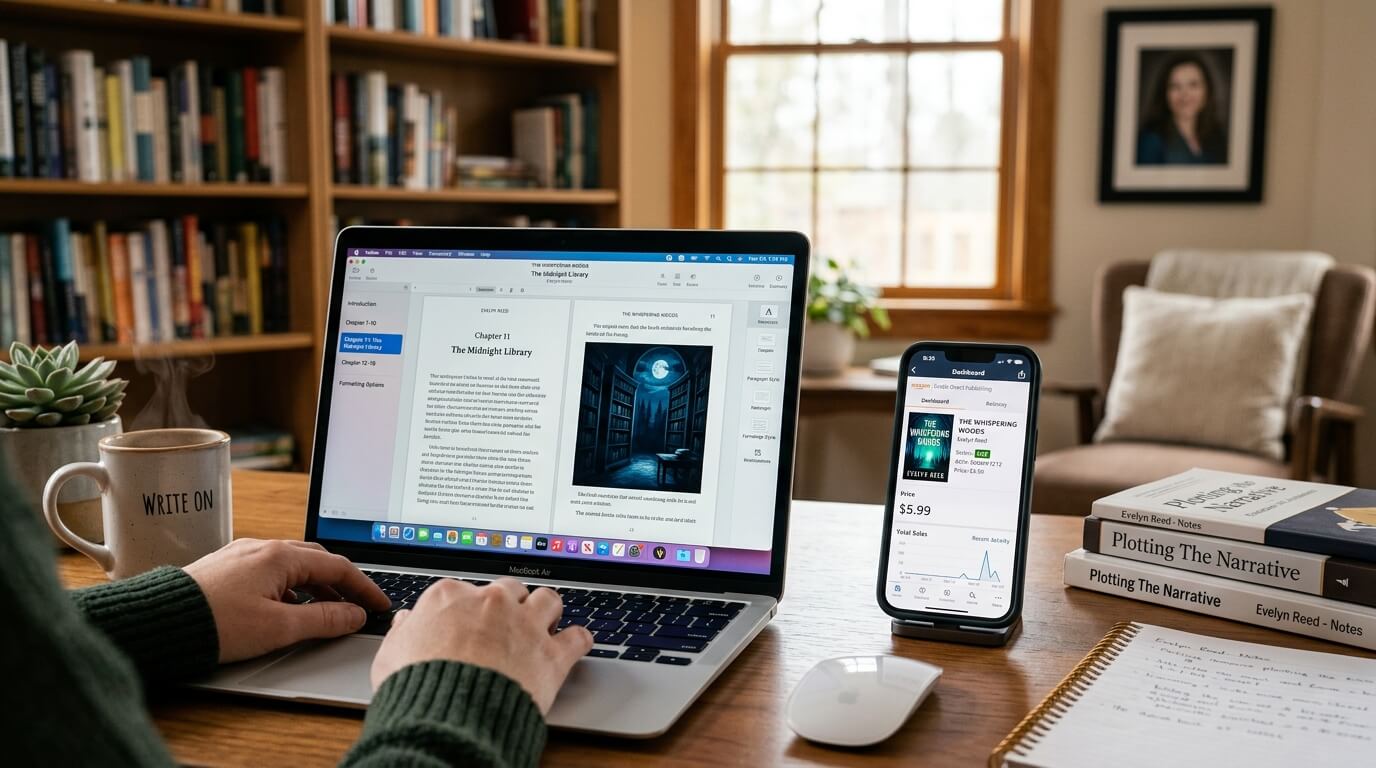
Introduction: The Digital Revolution in Book Publishing
Digital publishing for authors has fundamentally transformed how books are created, distributed, and consumed. Twenty years ago, self-publishing meant ordering physical cartons of books and selling them from your trunk. Today, an author can write, format, publish, and sell a digital book to readers in over 200 countries within 24 hours—all without leaving their home office.
The numbers tell a compelling story. According to Statista’s digital publishing market analysis, eBook sales exceeded $15 billion globally in 2025, with independent authors accounting for nearly 40% of that revenue. More importantly, digital publishing offers something traditional printing never could: the ability to update content instantly, reach international audiences without shipping costs, and earn royalties of 70% or more compared to traditional publishing’s 10-15%.
But here is the challenge that most aspiring authors face: creating digital publications requires a fundamentally different skill set than writing a manuscript. An eBook is not simply a Word document saved as a PDF. It is a reflowable digital product that must adapt seamlessly across smartphones, tablets, e-readers, and computers—each with different screen sizes, font preferences, and reading software.
This guide teaches you everything you need to know about digital book formatting, eBook conversion, platform-specific requirements, and distribution strategies. Whether you are publishing your first novel on Amazon Kindle or creating an interactive digital workbook for your coaching business, you will find actionable advice here.
Understanding Digital Publishing Fundamentals
At this stage, the reader is curious about digital publishing but may not understand the technical requirements or business opportunities. They need foundational education without pressure.
What Is Digital Publishing for Authors?
Digital publishing refers to the creation and distribution of content in electronic formats that can be read on digital devices. For authors, this primarily means:
- eBooks: Digital books designed for dedicated e-readers (Kindle, Kobo, Nook) and reading apps (Apple Books, Google Play Books)
- Digital publications: Broader category including PDF workbooks, interactive guides, digital magazines, and enhanced eBooks with multimedia
Unlike print books, digital publications are reflowable—the text “flows” to fit the reader’s screen. A reader can increase font size, change background color, or switch between portrait and landscape orientation, and the content reorganizes itself automatically.
Why Every Author Needs a Digital Strategy
According to Publishing Technology’s industry report, digital formats now account for over 55% of all book sales in the romance, mystery, thriller, and science fiction genres. For non-fiction, eBooks represent 35-40% of sales, but digital workbooks and supplementary materials are growing rapidly.
Key advantages of digital publishing:
- Higher royalties: Amazon KDP offers 70% royalties on eBooks priced between $2.99 and $9.99, compared to 35-60% on print
- Global reach instantly: Your book appears in Kindle stores worldwide within hours, not weeks
- Lower barriers to entry: No printing costs, no inventory storage, no shipping logistics
- Update capability: Fix typos or update content without reprinting
- Enhanced features: Hyperlinks, audio/video embedding, interactive quizzes, and real-time updates
Common Questions Authors Ask
Q: What is the difference between an eBook and a digital publication?
A: An eBook typically refers to a book-length digital file (EPUB or MOBI) designed for linear reading. A digital publication is broader—it can include PDF workbooks, interactive guides, digital magazines, or enhanced eBooks with embedded multimedia elements.
Q: Do I need different files for different eBook platforms?
A: Yes and no. Amazon Kindle uses its proprietary format (KPF/MOBI) but accepts EPUB files converted through Kindle Create. Apple Books, Kobo, Google Play Books, and Barnes & Noble Nook all accept standard EPUB files. You need one EPUB master file plus a Kindle-specific file for Amazon.
Q: Can I publish an eBook without any technical skills?
A: Yes. Platforms like Amazon KDP offer free digital book formatting tools (Kindle Create) that guide you through the process. However, professional results require attention to detail—and potentially professional help—for complex layouts.
The Three Digital Publishing Formats You Must Know
1. EPUB (Electronic Publication)
- Industry standard for most eBook platforms (Apple, Kobo, Google, Nook)
- Reflowable by default (adaptive to screen size)
- Supports advanced features (footnotes, tables, embedded fonts)
- Open standard, not owned by any company
2. MOBI / KPF (Kindle Formats)
- Amazon’s proprietary formats
- KPF (Kindle Create Package) is the modern replacement for MOBI
- Only required for Amazon Kindle Direct Publishing
- Limited advanced features compared to EPUB
3. PDF (Portable Document Format)
- Fixed layout (not reflowable—zoom required on small screens)
- Best for workbooks, worksheets, printables, and design-heavy content
- Poor choice for novel-length eBooks
- Readily accepted for “digital products” sold outside major bookstores
Practical eBook Creation and Optimization
At this stage, the reader has decided to publish digitally and needs specific, actionable guidance. They are comparing methods and tools.
Step-by-Step eBook Creation Workflow
Step 1: Start with Clean, Edited Content
Before any digital publishing software touches your manuscript, ensure it is professionally edited. Typos and grammatical errors in eBooks are particularly frustrating because readers cannot scribble corrections in the margins.
Your manuscript should be:
- Copy-edited and proofread
- Free of manual formatting (no double spaces, multiple tabs, or hard returns for page breaks)
- Structured with proper heading levels (Heading 1 for chapter titles, Heading 2 for subheadings)
Step 2: Choose Your eBook Creation Tool
| Tool | Best For | Price | Ease of Use | Output Format |
|---|---|---|---|---|
| Amazon Kindle Create | Amazon-only publishing | Free | Very easy | KPF (Kindle) |
| Reedsy Studio | Simple novels & non-fiction | Free | Very easy | EPUB, KPF |
| Atticus | Authors wanting one tool for print & digital | $147 | Easy | EPUB, KPF, PDF |
| Vellum (Mac) | Professional results, Mac users | $250 | Easy | EPUB, KPF, PDF |
| Calibre | Advanced users, batch conversion | Free | Complex | All formats |
| Adobe InDesign | Complex layouts, design professionals | $21/month | Difficult | EPUB, PDF |
Recommendation for most authors: Start with Reedsy Studio (free, web-based, no download required) or Atticus (one-time payment, works on any device, handles both print and digital). Avoid PDF-to-EPUB converters—they produce bloated, unreadable files.
Step 3: Format for Reflowable Reading
Unlike print, where you control every page precisely, reflowable eBooks require a different mindset:
Do NOT do in an eBook:
- Specify exact page breaks (readers have different screen sizes)
- Use tabs or spaces for indents (use CSS styling instead)
- Position images with absolute coordinates
- Rely on “page X” references (page numbers change with font size)
Do use in an eBook:
- Percentage-based image sizing (e.g., 80% of screen width)
- Relative font sizing (e.g., 1em for body, 1.5em for headings)
- Semantic structure (proper heading levels that assistive technology can navigate)
- Hyperlinked table of contents (essential for professional eBooks)
According to Amazon KDP’s formatting guidelines, the most common reason for eBook rejection is missing or incorrect table of contents navigation. Your eBook must include both a linked TOC at the beginning and a “NCX” (hidden navigation TOC) for e-reader menus.
Step 4: Handle Images and Multimedia
Digital publications can include more than static images:
Image optimization for eBooks:
- Resolution: 150-300 DPI (72 DPI is acceptable for most e-readers, but higher is better)
- File size: Compress images to under 500KB each
- Format: JPEG for photographs, PNG for graphics with transparency
- Alignment: Center large images, allow smaller images to float with text wrap
Enhanced eBooks (advanced):
Some platforms allow embedded audio (narration clips, interviews), video (author commentary, tutorials), and interactive elements (quizzes, calculators). However, these features work only on specific platforms (Apple Books supports them; Kindle does not fully support video).
Pro tip from digital publishing expert: Always provide a fallback for enhanced features. If you embed a video, include a text description or link to a web version. Not every e-reader supports multimedia.
Step 5: Test Before Publishing
Testing is the most skipped step—and the most costly to skip. An eBook that looks perfect in Kindle Create may appear broken on an older Kindle device or the Kobo app.
Testing checklist:
- Upload your file to Kindle Previewer (free desktop app)
- Test on at least three devices: a Kindle e-reader, an iPhone (Kindle app), and an Android tablet (Kindle or Google Play Books app)
- Verify all internal hyperlinks work (TOC entries, cross-references)
- Check that chapter titles are not orphaned at page bottoms
- Confirm that your cover displays correctly in all views
Step 6: Protect Your Work (Digital Rights Management)
DRM (Digital Rights Management) restricts copying and sharing of your eBook. Most platforms offer optional DRM:
- Enable DRM if: You are concerned about piracy and want maximum control
- Disable DRM if: You want readers to share your book freely (building word-of-mouth), or you sell directly to readers who expect platform flexibility
According to The Author’s Guild position on DRM, many authors choose to disable DRM because it does not prevent dedicated pirates (DRM is easily removed) but does inconvenience legitimate readers who want to read across multiple devices.
Special Case: Creating Digital Workbooks and PDF Publications
Not every digital publication needs to be an EPUB eBook. PDF workbooks are increasingly popular for non-fiction authors, coaches, and course creators.
When to choose PDF over EPUB:
- Your content includes worksheets, fillable forms, or journaling prompts
- Layout and design are essential (workbooks, planners, guides)
- You are selling directly to customers (not through Amazon/Apple)
- Readers will print sections of the book
Creating professional PDF workbooks:
- Use Affinity Publisher, Adobe InDesign, or Canva for layout
- Design for 8.5″ x 11″ or A4 paper size
- Include clickable table of contents and internal links
- Add fillable form fields if readers will complete worksheets digitally
- Compress images to balance quality and file size (under 50MB is ideal)
Distribution, Marketing, and Professional Help
At this stage, the reader is ready to publish or has encountered difficulties. This section guides them toward their final decision—including when to hire professionals.
Where to Publish Your eBook
Primary platforms (reach the most readers):
| Platform | Royalty Rate | Audience Size | Exclusivity Required? |
|---|---|---|---|
| Amazon KDP | 35-70% | Largest (80%+ market) | No (but higher rate for KDP Select exclusivity) |
| Apple Books | 70% | Second largest | No |
| Kobo | 70% | Strong in Canada, Europe | No |
| Google Play Books | 70% | Growing, strong for non-fiction | No |
| Barnes & Noble Nook | 65% | Declining but loyal US audience | No |
KDP Select exclusivity: If you enroll your eBook in KDP Select (requires 90-day exclusivity to Amazon), you earn higher royalties and access Kindle Unlimited (subscription readers). For many fiction writers and authors, Kindle Unlimited income exceeds direct sales.
Wide distribution (non-exclusive): Publish everywhere using aggregators like Draft2Digital or PublishDrive. These services distribute your eBook to multiple platforms, track sales, and handle payments for a small percentage.
Pricing Your Digital Publication
eBook pricing benchmarks (2025-2026):
- Short stories and novellas (under 100 pages): $0.99 – $2.99
- Novels and standard non-fiction (200-300 pages): $2.99 – $5.99
- Professional/business books: $4.99 – $9.99
- Enhanced eBooks with multimedia: $7.99 – $14.99
- PDF workbooks: $9 – $27 (typically sold directly, not through bookstores)
Amazon’s royalty trap: Priced below $2.99 or above $9.99? You earn only 35% royalty. Price between $2.99 and $9.99? You earn 70% (minus delivery fees).
Digital Marketing for Your eBook
Creating the eBook is only half the battle. Digital publishing success requires active marketing:
- Build an email list before launch: Offer a free chapter or related digital publication in exchange for email addresses
- Optimize your Amazon page: Keywords, categories, and a compelling description
- Collect reviews: Use ARC (Advance Review Copy) services like Booksprout or NetGalley
- Consider Kindle Countdown Deals: Promotional pricing for KDP Select books
- Cross-promote with other authors: Newsletter swaps and bundled promotions
When to Hire Professional Help
Even with excellent software, professional digital publishing services offer significant advantages:
Consider hiring for:
- Complex formatting (textbooks, cookbooks, poetry with specific line breaks)
- Enhanced eBooks with multimedia integration
- Converting damaged or scanned documents into clean digital files
- Bulk conversion of backlist titles
- Accessibility compliance (WCAG, ADA requirements for digital publications)
Cost benchmarks:
- Basic eBook formatting (novel): $100 – $300
- Complex non-fiction eBook (tables, images, sidebars): $300 – $800
- Enhanced eBook with multimedia: $800 – $2,500
- PDF workbook design: $200 – $1,000
Frequently Asked Questions
Q: Can I publish the same eBook on Amazon and Apple Books?
A: Yes, unless you enroll in KDP Select (Amazon exclusivity). Wide distribution is common and recommended for most authors.
Q: How do I get my eBook into libraries?
A: Use OverDrive (via Draft2Digital or directly) or Biblioboard. Library eBook sales are growing steadily.
Q: What is the difference between an eBook and an audiobook?
A: Different formats entirely. eBooks are visual/readable text. Audiobooks are narrated audio files (MP3, M4B). Some authors create both, but they require separate production workflows.
Q: Do I need an ISBN for my eBook?
A: Amazon, Apple, and Kobo provide free ASINs (Amazon) or assign their own identifiers. You do not need to purchase an ISBN for eBooks sold through these platforms. However, for wide distribution through aggregators, a single ISBN (purchased or free from aggregator) simplifies tracking.
Conclusion: Your Digital Publishing Journey Starts Now
Digital publishing for authors has never been more accessible—or more competitive. The barriers to entry are low, but the barriers to success are real. Readers have thousands of options at their fingertips; your eBook must be professionally formatted, properly distributed, and actively marketed to stand out.
Remember the hierarchy of digital publishing success:
- Great writing (undeniable value)
- Professional editing (polished and credible)
- Correct formatting (functional across all devices)
- Strategic distribution (visible where readers shop)
- Ongoing marketing (discoverable and recommended)
Do not let poor formatting undermine excellent writing. Take the time to learn the tools, test your files, and present your work professionally. Or, if your time is better spent writing your next book, partner with experts who can handle the technical complexity.
The global digital reading audience is waiting. Your book deserves to be found, read, and loved.
References
- Amazon KDP. eBook Formatting Guidelines. Kindle Direct Publishing Help Center, 2025. Link to Amazon KDP Formatting Guidelines
- Statista. Digital Publishing Market Size and Forecast. Digital Media Report, 2025.
- The Author’s Guild. Digital Rights Management: A Position Paper. Author Advocacy, 2024. Link to Author’s Guild DRM Position
- Publishing Technology. Global eBook Market Analysis. Industry Benchmark Report, 2025.
About Imperial Ghostwriting
At Imperial Ghostwriting, we help authors navigate every stage of the publishing journey—from manuscript development to digital book formatting, eBook conversion, and distribution strategy. Our team of experienced writers, editors, and publishing specialists ensures that your work reaches readers in the highest possible quality.
Whether you need complete ghostwriting, editing and proofreading, book cover design, interior layout, or eBook creation, our scalable services fit your timeline and budget.
Ready to publish your eBook to the world? Contact Imperial Ghostwriting today for a free consultation and project quote.